Build with your design system. Not around it.
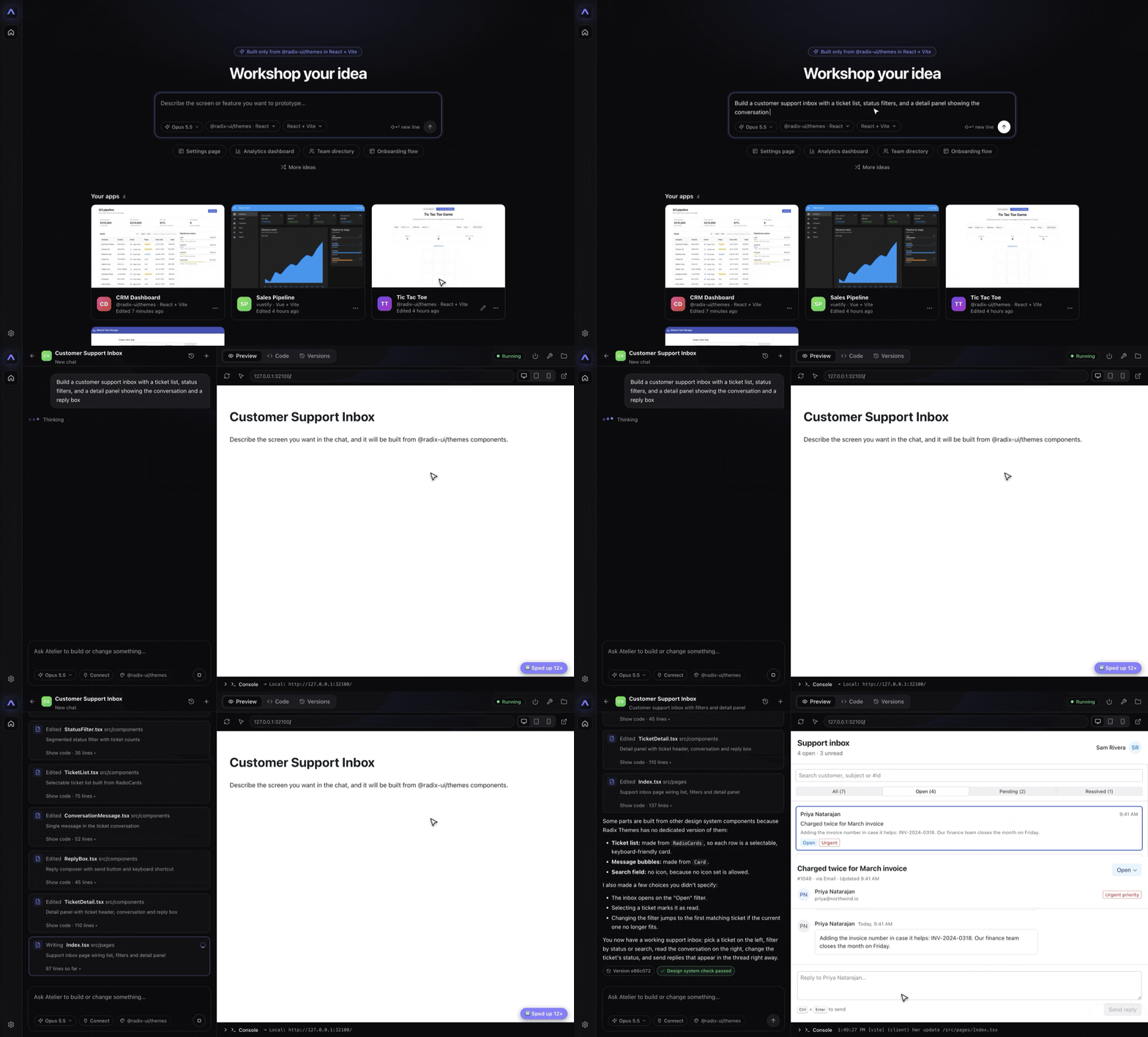
Add your design system. Describe a screen. Get a real running prototype with your real components.
The old way costs you twice.
Once to prototype it. Again to rebuild it.
AI builders ship generic UI. Engineers rebuild every screen.
Every screen uses only your components. A built-in check flags anything off-system.
Mockups look right, but nothing works. Handoff is a guessing game.
Live apps with real navigation and state. Hand off a plain git repo with readable code.
Your designs and keys sit on someone else's server.
Runs on your machine. No account, no Atelier server. Keys stay in your OS keychain.
Tweak one button, regenerate the whole screen.
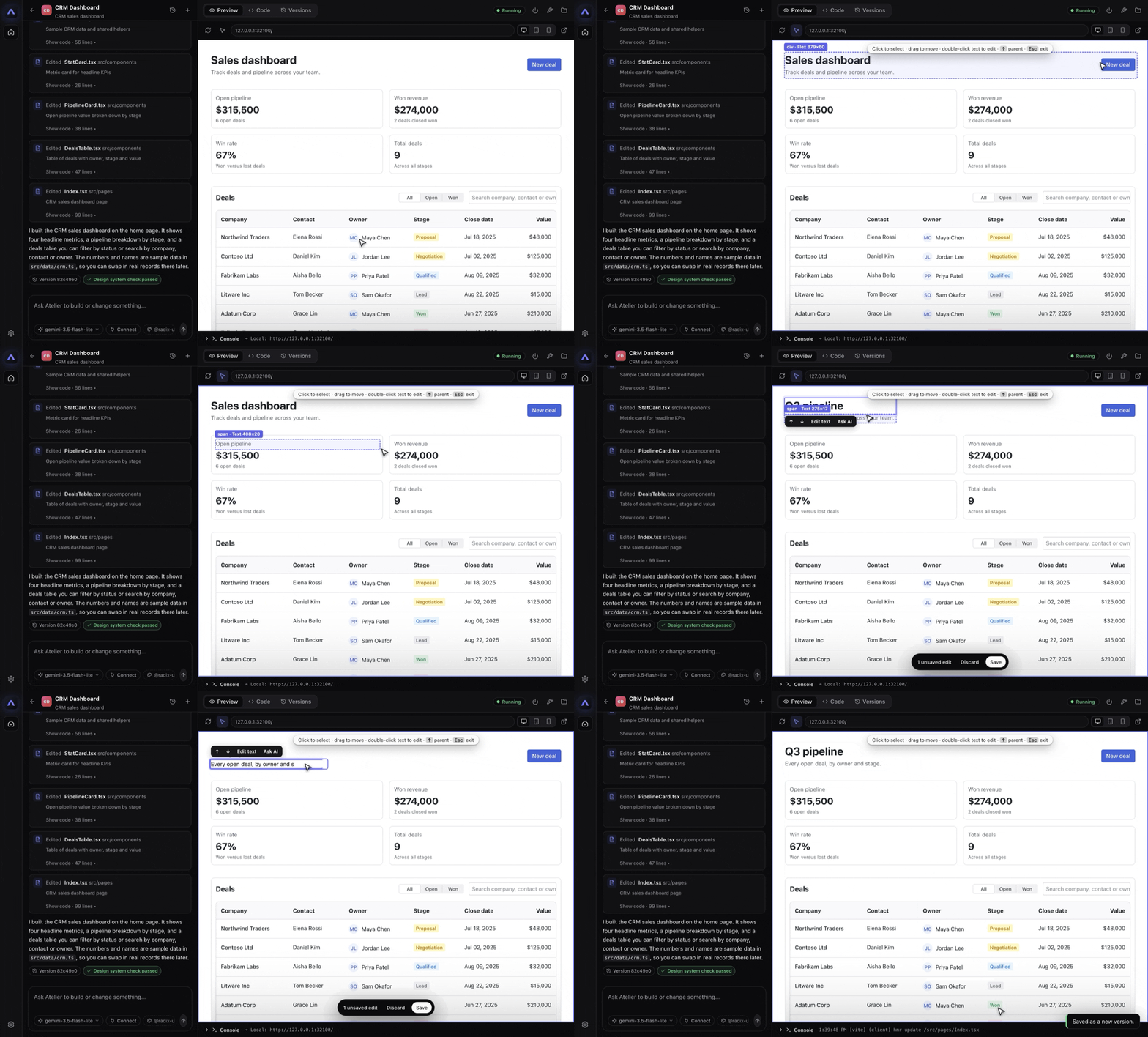
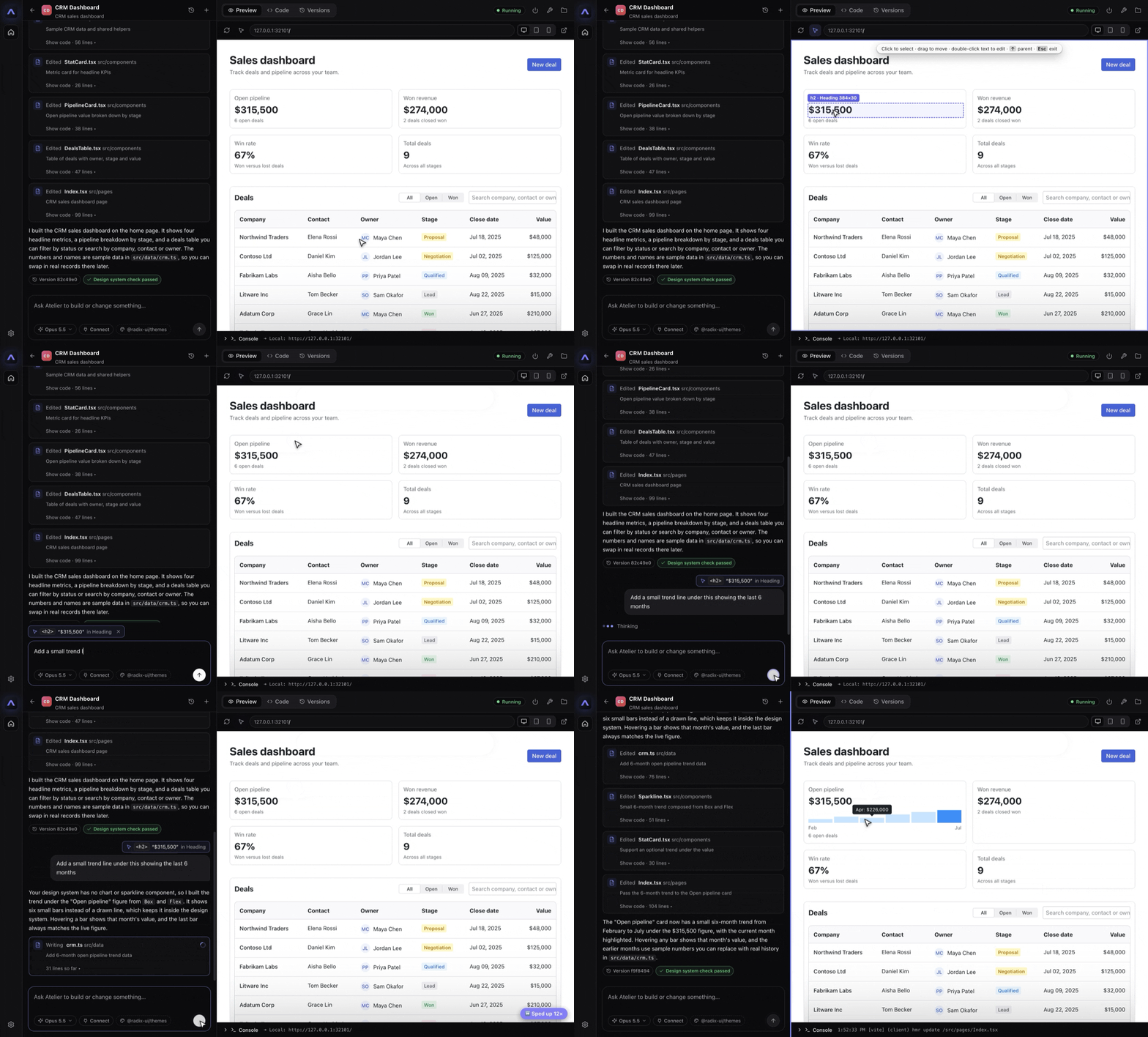
Click an element, change just that. Every change is a version you can restore.
Other tools can't read your design system. Atelier can.
Most AI builders never see your components. They guess from screenshots, ask you to paste docs, or make you rebuild everything in their own kit. The result looks close and ships wrong.
Hand-written prompts. Pasted docs. Components rebuilt in a proprietary kit.
Point at your npm package or local folder. The importer reads it for you.
Reads your real types
Parses your TypeScript declarations. Gets every component, prop, event, required flag and compound part (Dialog.Root). React, Vue and Angular.
Finds the wiring
Detects your global stylesheet, theme provider and CSS-variable tokens. Known libraries like Vuetify, PrimeVue and Angular Material are set up automatically.
Adds your intent
Drop in an optional atelier.manifest.json with guidelines, examples and per-component on/off switches. Experimental components import switched off.
Export it as an MCP server.
The same machine-readable design system, available to any AI chat tool that speaks MCP. Import once. Use it everywhere.
From idea to repo in four steps.
No setup. Atelier ships its own Node.js and git.
Import
Point at an npm package, public or private, or a local folder.
Describe
Say what you want. Get a running starter app.
Refine
Chat, edit in the live preview, or open the code.
Hand off
Give engineers the git repo. History included.
Edit the way you think.
Point at the thing. Change the thing.
Works with your stack.
Any npm design system with TypeScript types. Any model you trust.
Frameworks
Design systems
Models
Connectors
Compliant by contract, not by prompt.
Atelier bundles Invariant UI, so a prototype follows your design system's rules and approved patterns.
The AI reads the rules
Components, tokens and approved UX patterns are served to the model while it builds.
Every turn is checked
Generated code is validated against the contract. Findings show in the chat and the Compliance tab.
Honest results
Checks that can't be verified are reported as such, never counted as passes.
Local and deterministic
No account, no cloud. The same sources always give the same contract.
Built to be trusted.
Your work stays yours.
Local-first
No Atelier account. No Atelier server. Your code never leaves your machine unless you send it to a model you chose.
Open to inspect
Source-available under FSL-1.1-MIT. Every version becomes MIT after two years.
Sandboxed AI
The AI writes only inside the app's folder. Package names are checked before anything installs.
Encrypted secrets
API keys and registry tokens live in your OS keychain.
Plain git
Every app is a normal repo. Leave any time, nothing to export.
Read the details
Security notes and the changelog are public.
Ship the prototype. Skip the rebuild.
macOS, Windows and Linux. Free to download.
Early release: Windows builds are not code-signed yet. Choose More info, then Run anyway.